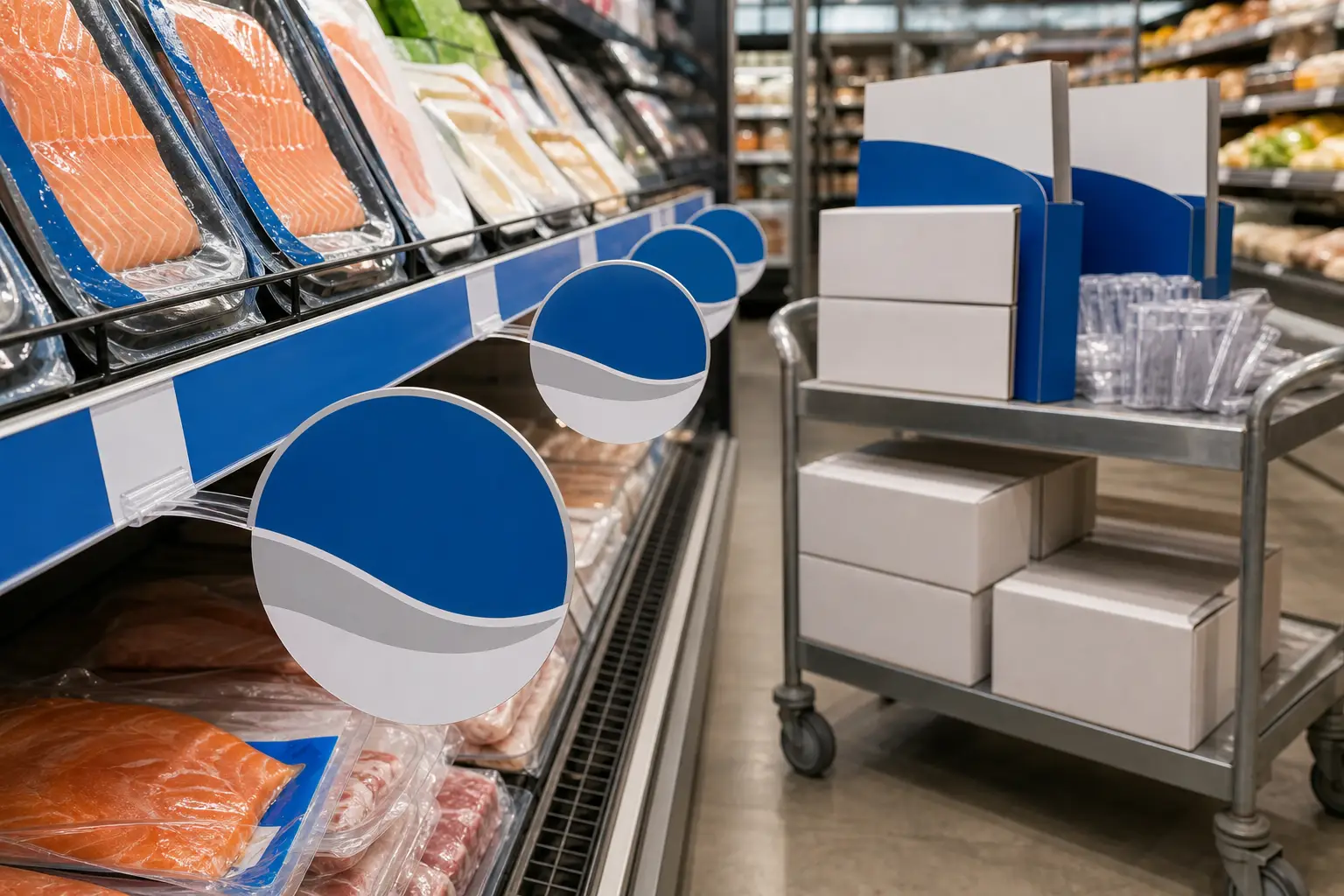
POS wobblers are shelf-level promotional pieces that extend outward from a shelf edge or display, creating movement that helps shoppers notice an offer, product, or category. For multi-store grocery promotions, a successful wobbler program depends on more than the printed message. The material, attachment method, die shape, version control, packing plan, and store-level delivery all need to work together.
Retail teams often manage weekly ads, seasonal features, department-specific promotions, and store variations at once. A production plan built around those realities helps keep the right components together and makes store setup easier. Print Group Inc. supports grocery and retail merchandising programs with production, finishing, kitting, and multi-location distribution.
What POS wobblers need to do in a grocery environment
A wobbler has a simple job: bring attention to a specific point in the shopper journey. It may identify a temporary price feature, introduce a new item, reinforce a product benefit, or direct attention to a shelf section. Its position close to the merchandise makes it useful when shoppers compare options quickly.
That visibility only matters if the piece remains readable, stays attached, and fits the store fixture. Grocery environments add practical constraints. Shelves are restocked often. Associates clean surfaces. Nearby shoppers and carts create contact. Refrigerated departments may introduce cold air, moisture, and condensation.
For that reason, the specification should begin with where and how the piece will be used rather than with a standard size. The requirements for a dry grocery aisle can differ from the needs of a refrigerated perimeter department.
Specify POS wobblers before artwork reaches prepress
Early specification prevents a common problem: approving creative that cannot be produced, finished, packed, or installed as intended. Marketing, merchandising, store operations, and print production should align on the following decisions before final files are released.
Format, size, and viewing distance
Choose a shape and finished size that fit the fixture without covering important shelf information or interfering with product access. Rectangles are straightforward to produce and pack. Custom die-cut shapes can support a product or campaign visual, but they add a finishing step that should be planned into the schedule.
Keep the central message large enough to scan at shelf distance. A short product name, offer statement, or category callout usually performs better than a crowded collection of details. Build adequate safe space around trim lines and any attachment area.
Stock, thickness, and finish
Paperboard, synthetic materials, and protective finishes each create different results. The best choice depends on the installation point, campaign duration, expected handling, and surrounding conditions. A rigid piece may provide a more substantial presentation. A lighter piece can work where the mounting strip supplies the movement.
Finishes can affect scuff resistance, appearance, and how the piece handles during packing. They can also affect writing, adhesive attachment, and folding behavior. Share the intended mounting method with the production team so materials and finishing can be evaluated together.
Mounting method and flex component
The flexible arm or strip is central to wobbler performance. It determines how far the printed panel projects, how it moves, and how it attaches to the shelf or fixture. Confirm the shelf-edge profile, available mounting surface, and installation process with store operations.
Do not assume one attachment method will suit every location. A wobbler intended for a shelf edge may need a different configuration than one placed on a wire rack, endcap, cooler door area, or freestanding display. A small production sample can help teams check fit and usability before a full rollout.
Color and production-ready artwork
Promotional materials often need to align with broader campaign pieces, including shelf strips, case cards, aisle signage, and display graphics. Provide approved brand colors, image assets, versions, and dielines at the start. Prepress review should confirm trim, bleed, safe areas, image resolution, overprint settings, and the treatment of small type.
For longer runs of identical pieces, sheet-fed offset printing can support consistent color and repeatability. Campaigns with smaller quantities, store-specific variations, or rapid version changes may need a different production approach. The key is to match the method to run length, version count, timing, and material requirements.
Plan versions around real store differences
Multi-store promotions rarely use one identical set of materials everywhere. Stores may carry different assortments, feature different products, operate under distinct banners, or use regional creative. A wobbler program should make those differences visible in its production plan.
Create a version matrix that identifies each approved combination of store group, department, product, message, language where applicable, and quantity. Give every version a clear internal name or code. That code should appear on packing documentation and kit labels so warehouse teams and store associates can identify the correct package without opening every carton.
Version control also protects the campaign from mixing outdated and current messages. Keep final artwork files organized by version, confirm quantities against the store list, and establish a clear approval point before production begins. For coordinated multi-version work, versioned campaign printing provides a useful framework for managing a shared design with controlled variations.
Build store kits that reduce installation errors
Printing is only one stage of a grocery promotion. Store teams need complete, clearly identified materials that arrive in a usable sequence. A store kit can combine wobblers with related shelf and department components, then package them by store, department, set date, or promotion.
A practical kit plan may include:
- The exact quantity of assembled or installation-ready wobblers for the assigned store or department.
- Related shelf-level materials, such as shelf strips or shelf talkers, when the promotion uses them.
- A packing label that identifies the campaign, store or store group, department, and intended use date.
- A concise installation guide when the configuration is not self-evident.
- Separated bundles for different departments or promotional periods.
Use packaging that protects finished pieces from bent corners, scuffing, or crushing in transit. If flex components or adhesive elements are packed separately, label them clearly and keep the count aligned with the printed panels. Avoid sending stores loose mixed components that require time-consuming sorting.
Coordinated kitting and distribution can organize multi-component programs into store-specific shipments. This approach gives retail teams a clearer chain from approved artwork to packed kit to delivery point.
Coordinate the schedule from promotion date backward
Start with the in-store set date, then work backward through delivery, shipping, kit assembly, finishing, press time, proofing, artwork approval, and data or store-list validation. This sequencing gives each stage a defined handoff and creates room to resolve production questions before they affect delivery.
Confirm whether all locations must receive materials on the same date or whether shipments need to follow regional receiving schedules. Also identify any locations that need different kit counts. A complete store list with shipping addresses, contact details, and receiving instructions supports accurate routing.
Inventory planning matters for recurring promotions. Retailers may choose to hold selected standard components while producing campaign-specific printed panels as promotions change. The appropriate approach depends on storage needs, campaign cadence, material changes, and how often store configurations vary.
Review these questions before approving a POS wobbler rollout
- Where will each wobbler attach, and what shelf or fixture profile does it need to fit?
- Will the material face cold, moisture, cleaning, heavy handling, or frequent resets?
- What is the finished size, shape, stock, finish, and flexible attachment configuration?
- Which messages, products, store groups, and quantities require separate versions?
- Are artwork, dielines, color references, and approval responsibilities complete?
- What other materials belong in the same store kit?
- How will cartons identify the campaign, location, department, and set date?
- What delivery dates and receiving requirements apply to each store?
Bring production and fulfillment into the promotion plan
POS wobblers work best when they are treated as part of a complete retail execution system, not as an isolated printed piece. Clear specifications help protect material performance. Controlled versions help prevent store-level mix-ups. Organized kits help associates install the correct components with less sorting.
For grocery programs that combine shelf-level materials, refrigerated department signage, and multi-store shipments, explore Print Group Inc.’s grocery store and retail printing services. A production-focused planning discussion can define the specifications, finishing, kitting, and distribution workflow before the promotion moves to press.